Console
Query Panel
You can execute two kinds of operations: Queries and Mutations. The history section holds either queries or mutations.
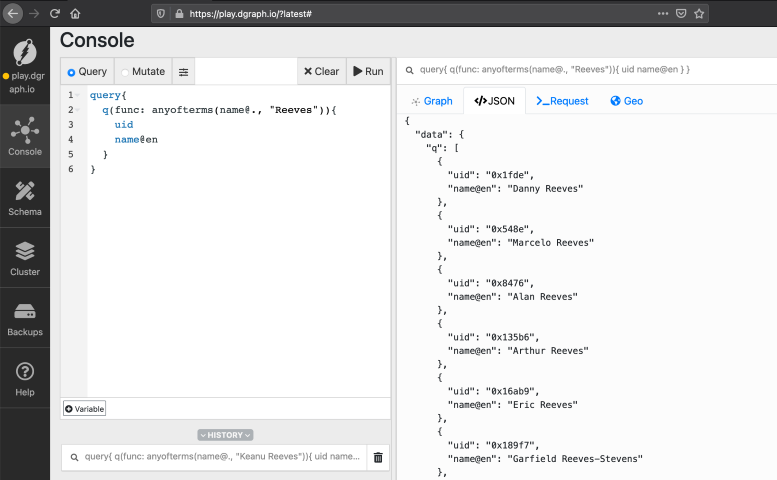
Query
On this panel, you can only run DQL (former GraphQL+-). You can use # to comment on something.
You also have the DQL Variable; see more at DQL.
Mutation
On this panel, you can run RDF and JSON mutations.
Result Panel
Graph
On this tab you can view the query results in a Graph format. This allows you to visualize the Nodes and their relations.
JSON
On this tab you have the JSON response from the cluster. The actual data comes in the data key.
You also have the extensions key which returns server_latency, txn, and other metrics.
Request
On this tab you have the actual request sent to the cluster.
Geo
On this tab you can visualize a query that provides Geodata.
Your objects must contain a predicate or alias named location to use the geo display.
To show a label, use a predicate or alias named name.